

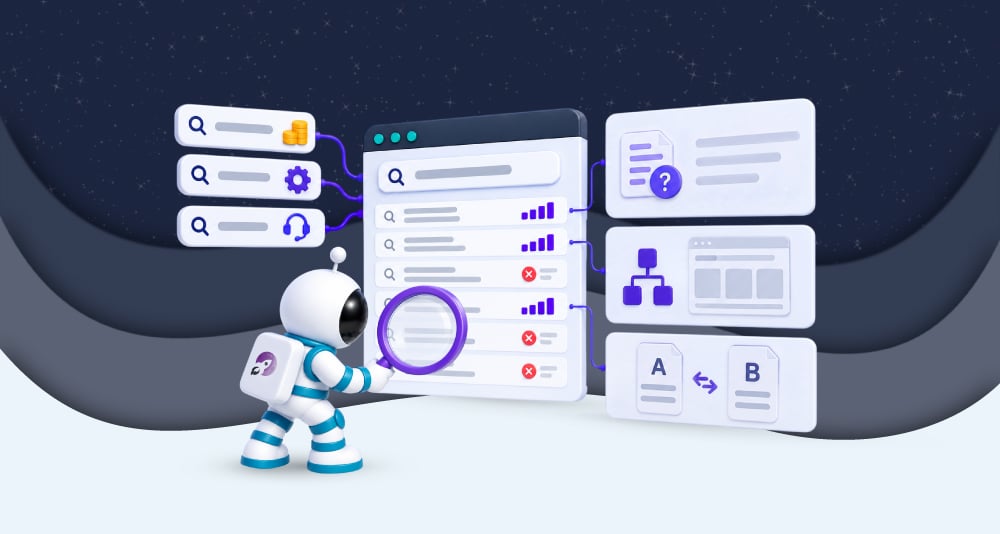
What Your Internal Website Search Is Trying to Tell You
Before someone enquires, they often need to establish whether your business can meet their requirements. They may be checking how a service works, whether it fits their existing systems or what they need to budget.
Your website plays a huge role in that decision. Visitors move between pages as they assess what you offer, using internal search to find information they have not yet found.
Those searches can reveal questions that remain unanswered during the buying process. Someone searching for implementation times after reading a service page may be trying to establish whether you can meet their deadline; a search for integrations may reflect a requirement they need to confirm before contacting you.
Reviewing this behaviour helps you understand what visitors need before enquiring, and where your website could do more to support that decision.
Search terms reveal questions your pages may not answer
Page views show which content visitors encounter, but they do not explain whether it gave them the information they needed. Someone might read a service page and understand the offer without knowing whether it is suitable for their business.
Their next search can help identify that gap. Questions about contract length or ongoing support may reflect considerations that affect whether they enquire.
Repeated searches for the same subject deserve attention, particularly when the information receives little space on the website. A service page might explain the benefits of working with you while leaving the practical details unresolved.
The response does not always need to be a new page; several searches may relate to one question that could be answered within existing content. Establish what visitors need to understand before deciding where that information belongs.
Your customers may describe the problem differently
Businesses often organise their websites around the names of their services.
Visitors may still be working out what kind of help they need, so their searches describe the problem rather than the solution.
A company might use systems integration, while a potential customer searches for connecting their CRM to their website. Both could lead to the same service, but the search function may not recognise the relationship. Someone who cannot find a match may conclude that you do not provide what they need, even when the service is available.
Reviewing search terms helps you connect your terminology with the language customers use. Page descriptions can explain that relationship, while the search system may need to recognise alternative wording.
Visitors should not need to understand your internal service categories before finding relevant information.
No results can interrupt the journey towards an enquiry
An unsuccessful search can indicate missing content, but it can also expose a retrieval problem.
The answer may exist under a different title, or the relevant page may not be included in the search index. A spelling variation might also prevent the system from finding a match.
Repeat the search before deciding what to change; check whether the answer exists and whether the results provide a route to it.
Consider what visitors see when nothing is found. A message reporting no results gives them little help continuing their research, whereas related suggestions or a route to contact the business can offer a next step.
That matters when the search concerns a buying requirement. Someone checking whether you support their platform needs an answer, rather than having to guess whether its absence means you cannot help.
Where a search begins provides context
Some visitors prefer searching to browsing, so frequent search activity doesn’t automatically mean your navigation is failing.
The page on which a search begins can help you interpret it. A visitor searching for technical specifications from a product page may need information that the page does not provide. Someone searching for sector experience from a service page may be looking for evidence that you understand their requirements.
These are different needs, even though both involve finding more content.
Reviewing the starting point helps you decide where an improvement belongs. Specifications may need to appear on the product page, while relevant case studies could be linked from the service they support.
The aim is to help visitors continue their assessment without making them search for every detail.
Look at what happens after the search
A search term indicates what someone wants to find; their subsequent actions help you assess whether they found it.
They may select a result and continue to another service page, or move towards an enquiry. They may change the wording repeatedly or leave without selecting anything.
Those patterns need interpretation; repeated searches could suggest irrelevant results, but they might also reflect someone narrowing their requirements. Leaving could indicate frustration, although the visitor may have found an answer within the result description.
Check whether result titles explain what each page contains and whether the destination answers the question.
A service page can match a pricing search without helping the visitor understand costs. Relevance depends on the answer provided, as well as the words matched.
Check what your reporting captures
Before concluding, establish which parts of the search journey your analytics records.
Your setup may capture search terms without showing whether results appeared or which links visitors selected. Measuring those actions may require additional configuration.
Carry out searches yourself and check that the expected activity appears in the reporting. An empty report could mean visitors are not using search, or that tracking is incomplete.
The volume of data matters too; a handful of searches provides a starting point for investigation; it does not establish how every buyer behaves.
Use the reporting to identify questions you can examine, rather than treating each search as evidence that the website needs changing.
Use recurring questions to improve the buying journey
Review related searches together so that variations of the same question don’t become separate tasks.
Then consider what the visitor needs to establish. Searches about implementation may call for an explanation of the delivery process, whereas questions about compatibility may need supporting documentation linked from the service page.
Prioritise changes that help people assess whether your business meets their requirements. These may involve content or search configuration, depending on where the difficulty occurs.
After making a change, check whether visitors can reach the information and continue their task. Search frequency may remain steady because people prefer using it; the more useful measure is whether that route serves them.
How we approach this at purpleplanet
At purpleplanet, we review internal search alongside the content and structure supporting the buying journey. The data can reveal what visitors need to know, but the cause of a problem needs investigating before a change is made.
The aim is to help potential customers assess your offer and take the next step with enough information. Internal search gives you a way to identify where your website could support that decision more effectively.